
Introduction
This feature ensures that when a customer exchanges a product for the same variant (e.g., same product, just exchanging return → exchange), the current store price will be applied instead of the original purchase price. This creates a fairer exchange experience when prices have changed.
Access this feature
Navigate to /settings/policies in your application.
What it does
Feature Explanation
This feature ensures that when a customer exchanges a product for the same variant (e.g., same product, just exchanging return → exchange), the current store price will be applied instead of the original purchase price.
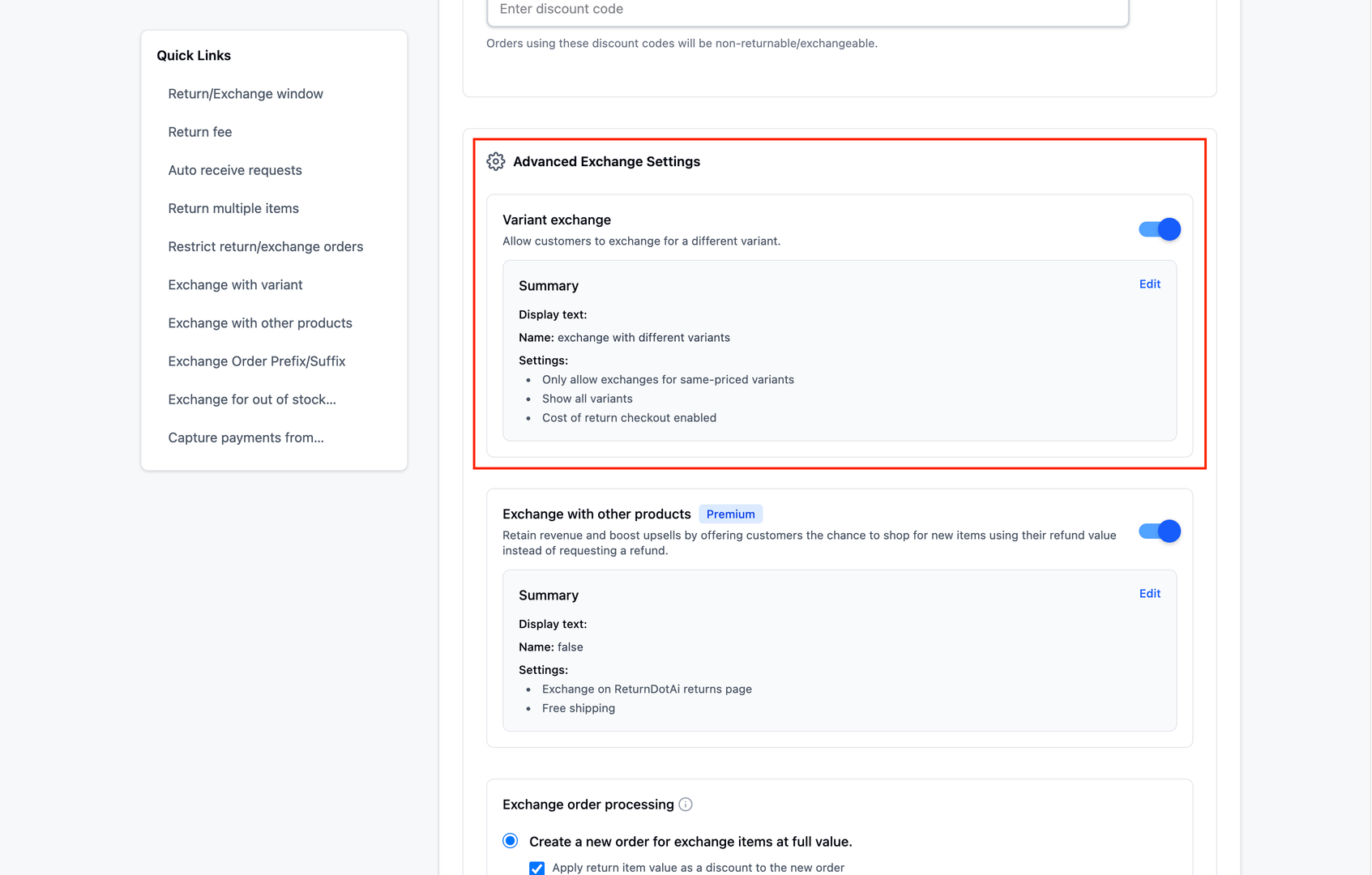
What is a Same-Variant Exchange?
A same-variant exchange occurs when:
- Customer returns a product
- Customer requests to exchange for the exact same product variant
- Same SKU, same size, same color - identical in every way
- Only exchanging the physical item, not switching to a different variant
Why it's useful
Keeps Exchange Values Consistent
Keeps exchange values consistent with your latest pricing.
Avoids Customer Frustration
Avoids customer frustration if product prices have changed since the original order.
- Customers don't feel penalized for price increases
- No unexpected additional charges during exchange
- Simpler exchange process without price adjustments
- Better customer satisfaction and loyalty
Reduces Manual Adjustments
Reduces manual adjustments for your team.
- No need to manually calculate price differences
- Automated pricing based on current store values
- Fewer support tickets about pricing discrepancies
- Team can focus on other tasks
Example
Example Scenario
A customer bought a product for $50. Today, the same variant costs $70.
With this feature ON ✅
→ The return item will be matched to the exchange variant at $70, and the customer won't need to pay extra.
- 1Customer returns product originally purchased for $50
- 2Customer requests same variant for exchange
- 3System applies current price: $70
- 4Return value ($50) is matched to exchange value ($70)
- 5No additional payment required from customer
- 6Customer receives the same product at current pricing
With this feature OFF ❌
→ The system uses the original price ($50), and the customer may be asked to pay the difference.
- 1Customer returns product originally purchased for $50
- 2Customer requests same variant for exchange
- 3System uses original purchase price: $50
- 4Current price is $70
- 5Customer must pay the difference: $20
- 6Additional payment required to complete exchange
Quick Comparison
Summary of the key differences:
| Aspect | Return Only | Exchange Only | Both |
|---|---|---|---|
| Feature Status | ON ✅ | OFF ❌ | - |
| Price Applied | Current ($70) | Original ($50) | - |
| Customer Payment | None | $20 difference | - |
| Exchange Complexity | Simple | More complex | - |
| Customer Experience | Better | May cause friction | - |
How to enable
Setup Instructions
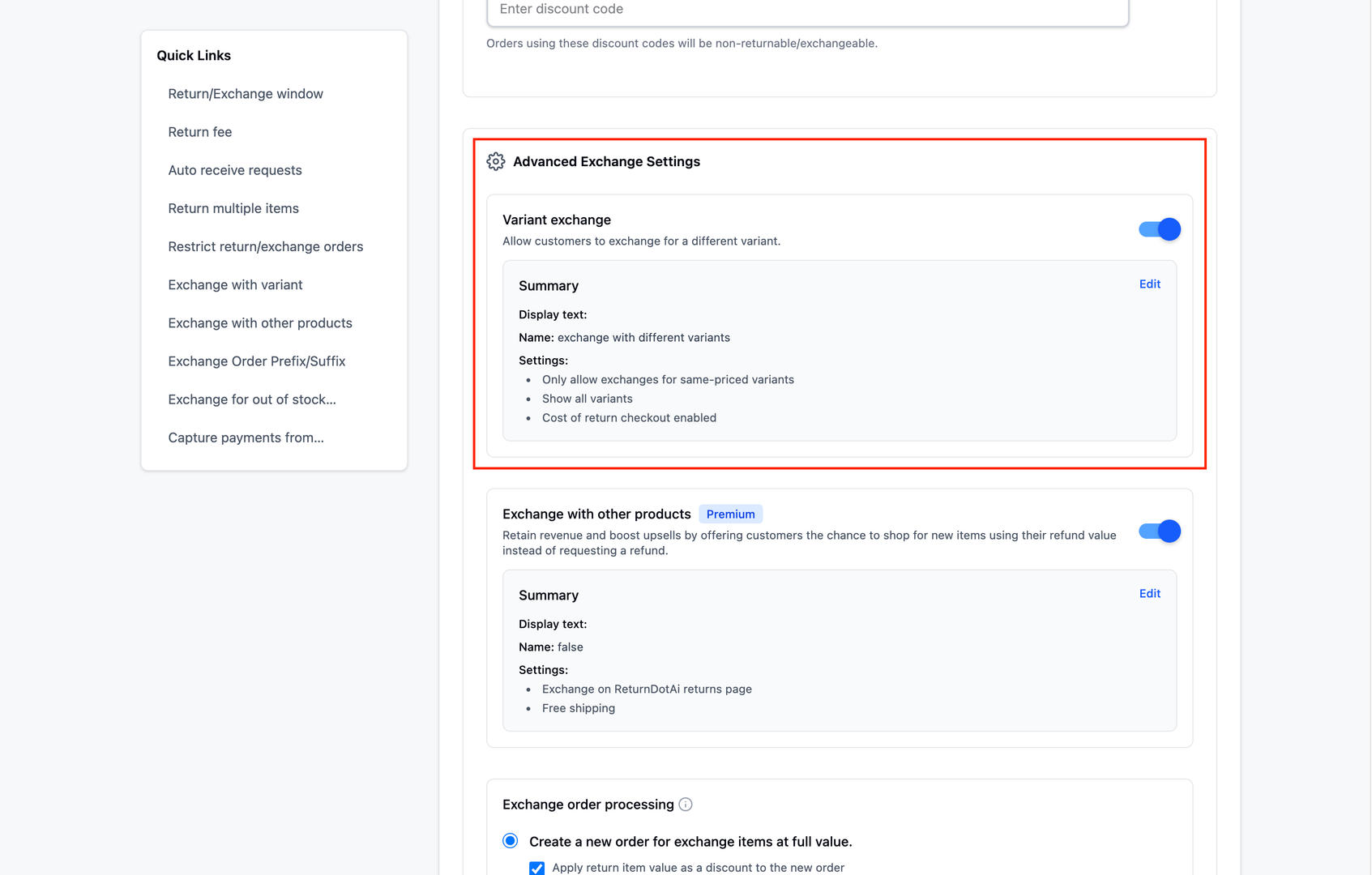
- 1Go to Settings → Policies
- 2Scroll down to "Advanced Exchange Settings" section
- 3Find "Variant exchange" toggle
- 4Click "Edit" to configure variant exchange settings
- 5In the Exchange Type section, select "Only allow exchanges for same-priced variants"
- 6Save your changes
Verify Configuration
After enabling, verify the feature works correctly:
- 1Create a test product with a specific price
- 2Place a test order for that product
- 3Change the product price in your store
- 4Create a test exchange request for the same variant
- 5Verify that the current price is used instead of the original price
- 6Confirm no additional payment is required
Key Features
Current Price Application
Automatically applies current store pricing for same-variant exchanges
No Additional Charges
Customers don't pay extra even if prices have increased
Automated Price Matching
System automatically matches return value to current exchange value
Reduced Complexity
Simplifies exchange process by eliminating price difference calculations
Better Customer Experience
Prevents frustration from unexpected charges during exchanges
Easy Toggle
Simple on/off configuration in Exchange Policy settings
Important Notes
Enable for Better Experience
For most businesses, enabling this feature provides a better customer experience, especially for same-variant exchanges where the customer isn't switching products.
Consider Your Pricing Strategy
If your prices fluctuate frequently or significantly, consider how this feature affects your margins. The feature is most beneficial when price increases are moderate.
Communicate the Policy
Add information to your exchange policy explaining how same-variant exchanges are priced. Transparency builds trust with customers.
Only Applies to Same Variants
This feature only applies when customers exchange for the exact same variant. Different sizes, colors, or products will still use standard pricing rules.
Monitor Exchange Patterns
After enabling, monitor exchange patterns to see if customers are taking advantage of the policy in unexpected ways.
Test with Price Changes
Before going live, test the feature with products that have had price changes to ensure it works as expected in your specific setup.
Related Articles
Reserve stock on request
Automatically hold inventory when exchange requests are submitted
Return fee condition: Item quantity
Apply return fees based on the number of items being returned
Return/Exchange Fee
Set up and manage return/exchange fees based on return reason or refund resolution
Require return of all items from BOGO/Bundle deals
Prevent partial returns from promotional bundles and BOGO offers